
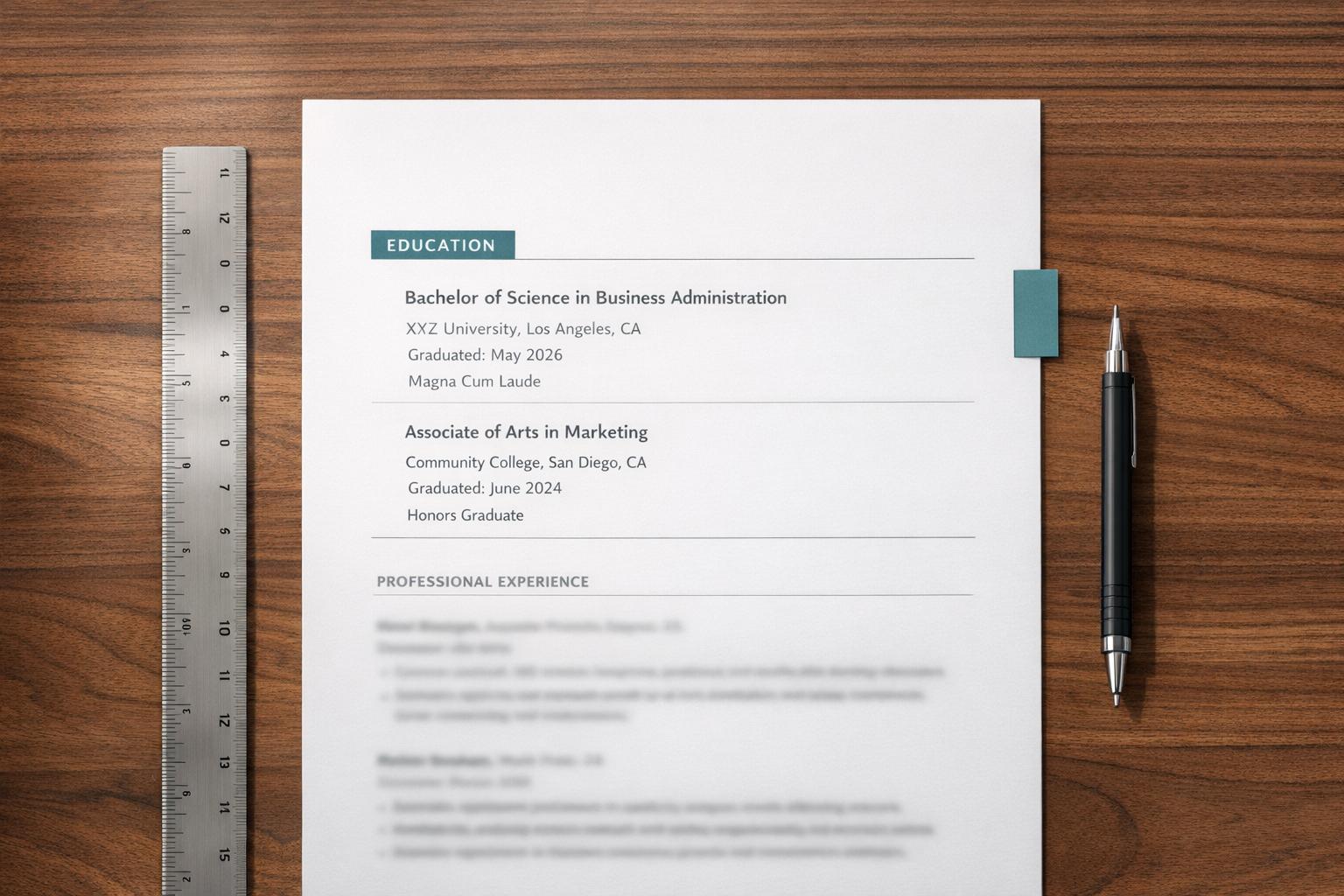

Start with a clean, single-column structure
A modern resume needs to be read by machines before it is read by humans. Applicant Tracking Systems (ATS) parse resumes by scanning left-to-right, top-to-bottom. When you introduce complex layouts, two columns, or sidebars, you risk breaking this flow. The software may scramble your text, merge unrelated lines, or skip sections entirely. This often results in your application being rejected before a human eye ever sees your qualifications.
To ensure your resume passes this digital gatekeeper, stick to a single-column layout. This structure mirrors how ATS software naturally indexes information. It creates a clear, linear path for the parser to follow from your contact details at the top to your work experience at the bottom. Avoid tables, text boxes, or floating graphics, as these elements frequently cause parsing errors.
Readability for the hiring manager is equally important. Recruiters often spend only a few seconds scanning a resume. A single-column design eliminates visual noise and guides the eye directly to your most relevant achievements. It allows them to quickly identify your job titles, dates, and key skills without navigating around disjointed sections.
Think of your resume layout like a straight highway rather than a maze. A straight path allows both the ATS and the recruiter to reach the destination—your qualifications—without getting lost. By keeping the structure simple and vertical, you remove barriers between you and the next interview step.
Add professional experience with action verbs
Your professional experience section is the core of your resume. This is where you prove you can operate heavy machinery safely and efficiently. Avoid listing duties. Instead, highlight achievements using strong action verbs.
Recruiters scan resumes quickly. They want to see results, not job descriptions. A list of responsibilities tells them what you were supposed to do. Bullet points with metrics tell them what you actually accomplished.
1. Start with a strong action verb
Every bullet point should begin with a powerful verb. Words like "Operated," "Maintained," and "Delivered" show competence. Avoid weak phrases like "Responsible for" or "Duties included." These add no value and waste space.
Choose verbs that reflect the specific task. Use "Hauled" for material transport. Use "Inspected" for safety checks. Use "Coordinated" for site logistics. The verb sets the tone for the entire statement.
2. Quantify your impact
Numbers provide concrete proof of your skills. Include details like tonnage hauled, miles driven, or equipment maintained. If you reduced downtime or improved safety scores, state those figures.
For example, instead of "Drove dump trucks," write "Hauled 500+ tons of gravel weekly across active construction sites." Specific numbers make your experience memorable and credible.
3. Focus on safety and compliance
Safety is the top priority in heavy equipment operation. Highlight your commitment to safety protocols. Mention any safety awards, zero-incident records, or compliance training completed.
State how you followed OSHA regulations or company safety policies. This shows you are a reliable operator who protects yourself and your team.
4. Demonstrate maintenance skills
Preventive maintenance keeps equipment running smoothly. Mention your role in daily inspections and minor repairs. If you identified mechanical issues early, saving time and money, include that.
Example: "Conducted daily pre-trip inspections and performed minor hydraulic repairs, reducing vehicle downtime by 15%." This shows technical knowledge and initiative.
5. Tailor to the job description
Review the job posting carefully. Identify key skills the employer wants. Mirror their language in your bullet points. If they emphasize "site cleanup" or "material tracking," include those terms.
Customization shows you are a serious candidate. It also helps your resume pass through applicant tracking systems that scan for specific keywords.
Writing effective bullet points takes practice. Start with your strongest achievements. Refine them until they clearly show your value. This approach will make your resume stand out to hiring managers.
Optimize keywords for applicant tracking systems
Applicant tracking systems (ATS) scan your resume before a human ever sees it. These tools filter candidates based on specific keyword matches, so your document must speak the same language as the job description. If your resume lacks the right terminology, it gets rejected regardless of your actual experience.
Think of your resume as a puzzle piece that must fit into a predefined slot. The ATS is looking for exact shapes—specific skills, certifications, and job titles. Generic descriptions like "helped with operations" won't fit; you need precise terms like "logistics coordination" or "heavy machinery maintenance." Aligning your language with the job posting ensures the system recognizes your qualifications.
Extract core terms from the job description
Start by highlighting the hard skills and certifications mentioned repeatedly in the job posting. These are your primary keywords. Include exact phrases such as "OSHA compliance," "site safety," or "equipment maintenance." If the job asks for "dump truck operation," use that exact phrase rather than variations like "driving trucks." ATS algorithms often prioritize exact matches over synonyms.
Place keywords in context
Don't just list keywords in a skills section; integrate them into your work history. Show how you used these skills to achieve results. For example, instead of listing "safety protocols" as a standalone bullet, write: "Enforced strict safety protocols during high-volume material transport, reducing site incidents by 15%." This provides the keyword while demonstrating its practical application.
Avoid keyword stuffing
Overloading your resume with irrelevant keywords can backfire. ATS parsers are sophisticated enough to detect unnatural repetition. If you repeat "dump truck" ten times without context, the system may flag your resume as spam. Focus on relevance and natural integration. Quality matters more than quantity.
Use standard job titles
Many companies search for candidates using internal job titles. If you were a "Haulage Specialist," also include the more common title "Dump Truck Driver" in your resume header or summary. This ensures you appear in searches for both specific and generic terms. Stick to industry-standard titles rather than creative or company-specific ones.
Check formatting for ATS compatibility
Complex layouts, headers, footers, and graphics can confuse ATS parsers. Keep your resume simple with standard fonts and clear headings. Avoid tables or text boxes that might scramble the text extraction process. A clean, linear format ensures the system reads your keywords correctly.
Review for clarity and formatting consistency
Before you submit your resume, treat this final review as a quality control checkpoint. Inconsistent fonts, uneven spacing, or typos can signal carelessness to hiring managers, regardless of your experience level. A clean, uniform layout ensures your skills and history remain the focus.
Start by checking your typography. Use a single, professional font family throughout the document. If you use bold for job titles, apply it consistently across all entries. Ensure your spacing between sections is uniform; inconsistent margins create visual clutter that distracts from your content.
Next, verify that every bullet point follows the same grammatical structure. If one starts with a past-tense verb like "Managed," the next should not start with a present-tense phrase like "Managing." Read the document aloud to catch awkward phrasing or missing articles. This simple trick reveals errors that your eyes might skip over during a silent scan.
Finally, check for contact information accuracy. Ensure your phone number, email address, and LinkedIn URL are correct and clickable. A broken link or typo in your email can cost you an interview. Once you confirm these details, your resume is ready for submission.
Frequently asked questions about resume optimization
How long should my resume be?
Keep your resume to one page. Recruiters for heavy equipment roles scan applications quickly, so concise formatting works best. If you have extensive experience with specialized machinery or safety certifications, you may extend to two pages, but prioritize recent, relevant roles. Remove older, unrelated jobs to keep the document focused on your current qualifications.
What file format is best for ATS compatibility?
Submit your resume as a .docx or .pdf file. Most Applicant Tracking Systems (ATS) parse .docx files more accurately, making it the safest choice for automated screening. If you submit a PDF, ensure it is text-based and not a scanned image. Avoid complex layouts, graphics, or tables, as these can confuse the parsing software and hide your keywords from recruiters.
Should I include a photo on my resume?
No, do not include a photo. In the United States, including a headshot can lead to automatic rejection due to anti-discrimination laws and HR policies. Recruiters focus on your skills, certifications, and work history. A professional, clean layout without personal imagery ensures your application is evaluated on merit rather than appearance.
How do I optimize my resume for ATS keywords?
Mirror the language used in the job description. If the posting asks for "CDL Class A" and "daily vehicle inspections," use those exact phrases in your skills and experience sections. Avoid creative titles or jargon that the ATS might not recognize. Standardize your section headers (e.g., "Work Experience," "Education") to help the system categorize your information correctly.
No comments yet. Be the first to share your thoughts!