

How ATS gatekeepers are changing
Companies are already using AI to filter applications, and this will only get more aggressive by 2026. A 'good' resume is useless if it can't survive the Applicant Tracking Systems (ATS) that act as the first gatekeeper.
ATS systems are essentially software programs that scan resumes for keywords, format, and other criteria. They parse the information, meaning they pull data from your resume and store it in a database. Then, they rank candidates based on how well their resumes match the job description. These systems aren’t new, but their capabilities are rapidly evolving.
What's different in 2026? The integration of AI is becoming much more sophisticated. Early ATS systems relied heavily on simple keyword matching. Now, AI is being used to understand the context of keywords, identify skills gaps, and even assess the overall quality of writing. According to Harvard’s FAS career services, AI can now analyze for things like tone and clarity, meaning simple keyword stuffing is quickly becoming ineffective. The bots are getting smarter, and your resume needs to adapt.
Seven layouts that actually work
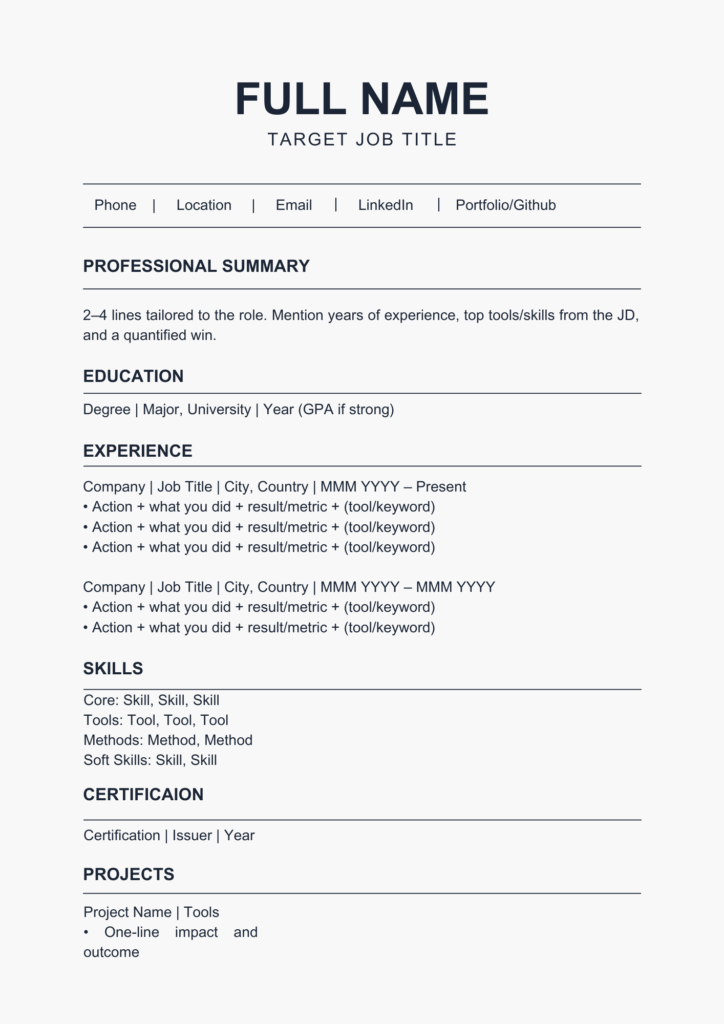
Choosing the right resume layout is the first step in creating an AI-proof document. We’ve identified seven layouts that balance ATS compatibility with visual appeal. These aren’t just aesthetic choices; they’re strategic decisions designed to help your resume get past the gatekeepers and into the hands of a human.
1. The Chronological Classic: This is the most traditional format, listing work experience in reverse chronological order. It's best for those with a consistent work history and clear career progression. To make it ATS-friendly, use clear headings like "Work Experience’ and ‘Education," and avoid fancy formatting. Keep dates and job titles prominent.
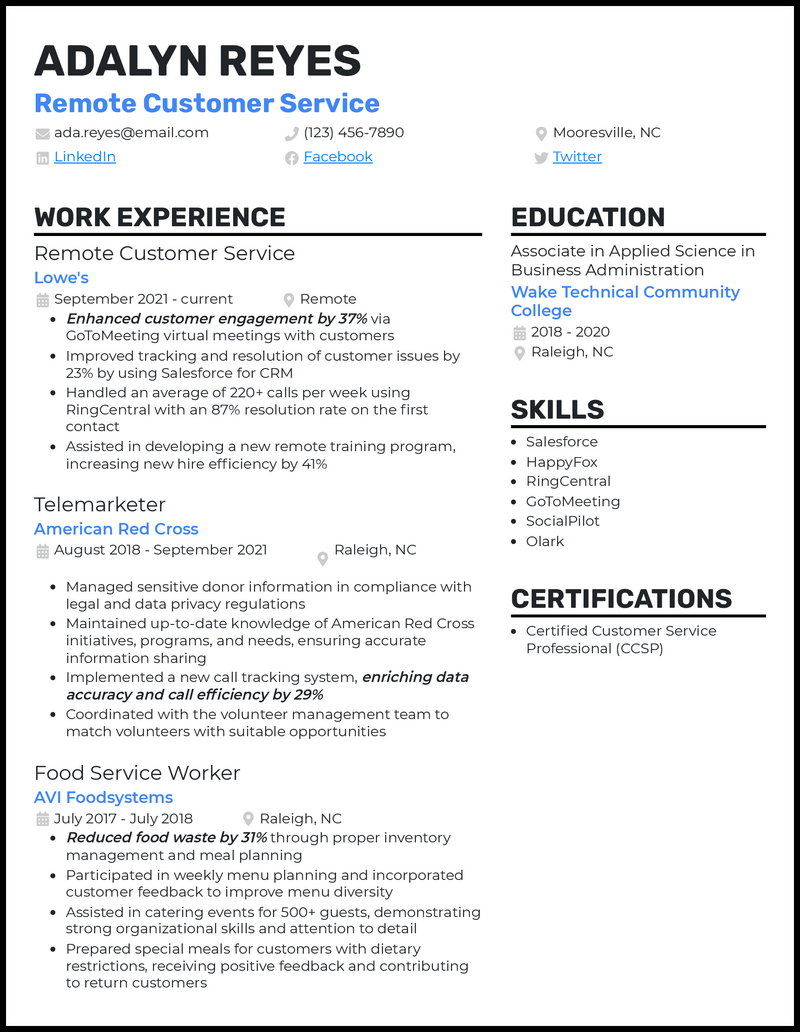
2. The Functional Focus: Ideal for career changers or those with gaps in their employment history, the functional resume emphasizes skills over work experience. However, ATS can sometimes struggle with this format, so it’s crucial to include a brief work history section with dates and company names. Use keywords liberally throughout the skills section.
3. The Combination Champion: This layout combines elements of both chronological and functional resumes. It’s a good choice for experienced professionals who want to highlight their skills while also showcasing their work history. Prioritize skills relevant to the target job and quantify accomplishments whenever possible.
4. The Skills-Based Superhero: A variation of the functional resume, this layout puts the skills section front and center. It’s particularly effective for roles where specific technical skills are highly valued. Ensure skills are clearly labeled and categorized. Avoid using vague or generic terms.
5. The Targeted Trailblazer: This layout is completely customized for each job application. It requires more effort, but it can significantly increase your chances of getting noticed. Focus on the skills and experiences that are most relevant to the specific job description. Tailor your summary and accomplishments to match the employer's needs.
6. The Modern Minimalist: Characterized by clean lines, ample white space, and a focus on readability, this layout is visually appealing and ATS-friendly. Use a simple font like Arial or Calibri, and avoid using tables, text boxes, or images. Keep the design uncluttered and easy to scan.
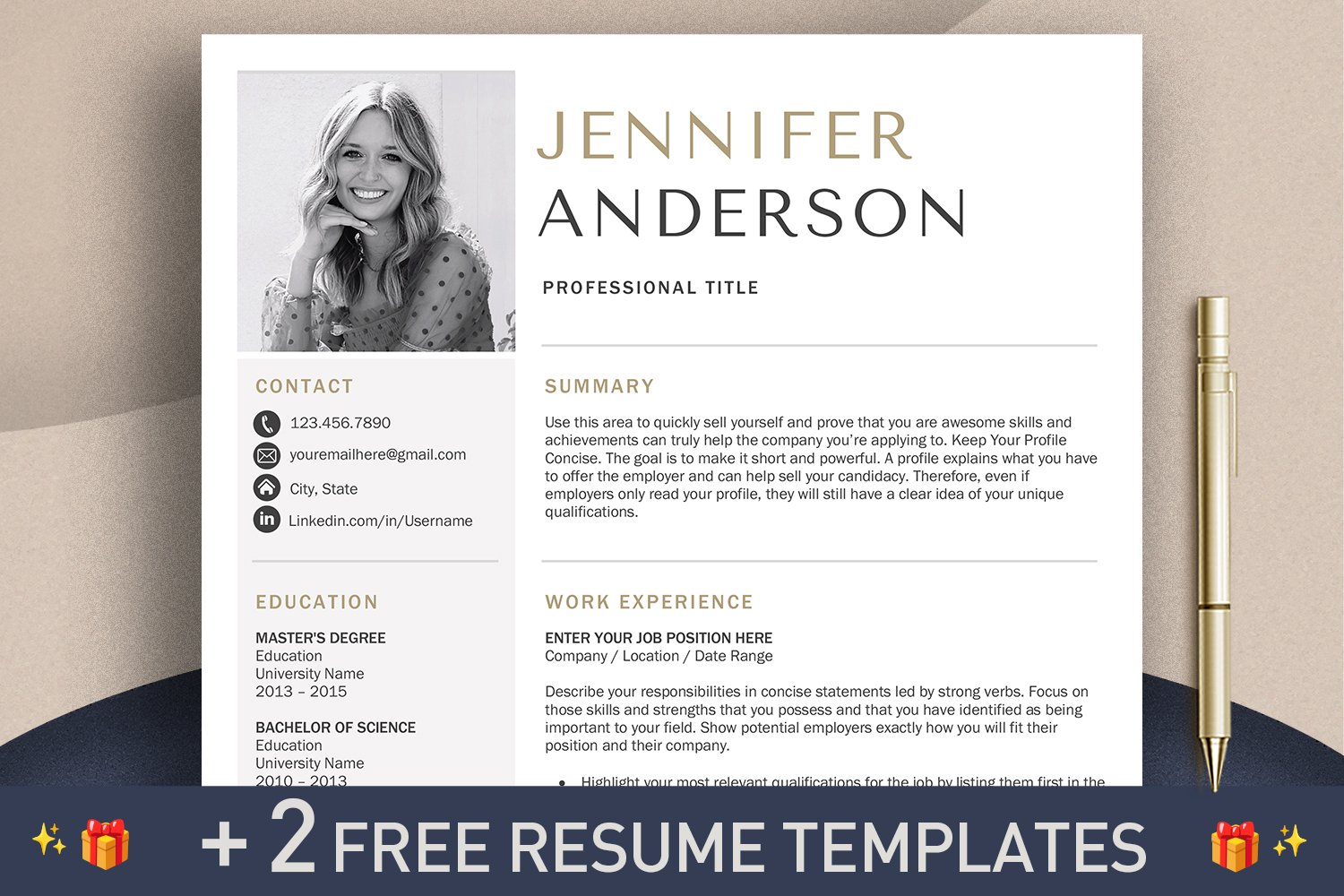
7. The Infographic Innovator (Use with Caution): While visually engaging, infographics can be problematic for ATS. If you choose this layout, ensure that the text is selectable and that the information is presented in a logical order. It’s generally best to save this format for creative roles where visual presentation is highly valued.
Resume Layout Comparison: ATS Compatibility & Effectiveness (2026 Outlook)
| Layout Style | Parsing Accuracy | Keyword Density Control | Visual Appeal | Career Level Suitability |
|---|---|---|---|---|
| Chronological | High | Moderate | Medium | Entry-Level to Executive |
| Functional | Medium | Difficult | Low | Mid-Career (with career gaps) |
| Combination | High | Easy | Medium | Mid-Career to Executive |
| Skills-Based | Medium | Easy | Medium | Entry-Level to Mid-Career |
| Infographic | Low | Difficult | High | Creative Roles (use with caution) |
| Modern (Timeline) | Medium | Moderate | High | Mid-Career to Executive |
| Reverse Chronological (Simplified) | High | Easy | Medium | Entry-Level to Mid-Career |
Illustrative comparison based on the article research brief. Verify current pricing, limits, and product details in the official docs before relying on it.
Keyword strategies that go beyond buzzwords
Simply listing a bunch of keywords won’t cut it. AI is getting better at recognizing keyword stuffing. A successful keyword strategy involves research and thoughtful integration. Start by carefully analyzing the job description, identifying the key skills, qualifications, and industry terminology.
LinkedIn is a valuable resource for keyword research. Search for profiles of people who hold similar positions to the one you’re applying for and note the keywords they use to describe their skills and experience. Industry-specific websites and publications can also provide insights into relevant terminology.
Specific phrases work better than broad terms. Swap 'project management' for 'agile project management with Scrum certification.' Using related terms shows you actually know the field rather than just hitting a checklist.
Skills Sections: Show, Don't Just Tell
A skills section is essential, but it’s not enough to simply list skills. You need to demonstrate your proficiency. Quantify your skills whenever possible. Instead of saying “Proficient in Python,” say “Developed and maintained Python scripts for data analysis, resulting in a 15% increase in efficiency.”
Distinguish between hard skills (technical abilities) and soft skills (interpersonal qualities). Hard skills are typically easier to quantify, while soft skills require more descriptive language. Integrate skills into your work experience descriptions to provide context and demonstrate how you've applied them.
Consider using skills frameworks relevant to your industry. For example, if you’re applying for a marketing role, you might reference the 4Ps of marketing (Product, Price, Place, Promotion). This demonstrates your understanding of industry best practices.
Accomplishments & Action Verbs: Proving Your Value
Focus on your accomplishments, not just your responsibilities. Employers want to know what you’ve achieved, not just what you’ve done. Use the STAR method (Situation, Task, Action, Result) to structure your bullet points. This provides a clear and concise narrative of your accomplishments.
Start each bullet point with a strong action verb. Instead of “Responsible for managing social media,” try “Managed social media accounts, increasing engagement by 20% and driving a 10% increase in website traffic.” Avoid weak or passive language like “assisted with” or “helped with.”
Match your wins to the job description. If they want growth, show them the 20% revenue bump you secured at your last gig. Numbers are harder to ignore than vague descriptions of duties.
No comments yet. Be the first to share your thoughts!