
The resume builder market in 2026
The online resume builder market is crowded. New platforms pop up weekly, each claiming to be the secret to landing a job. Most AI-powered tools promise instant perfection but hide their best features behind a subscription. There is a lot of noise about what you can buy, but very little about what you actually need to get hired.
Amidst all the paid options, it’s easy to assume that a free resume builder must be severely limited. That’s a reasonable assumption, but not necessarily true. Dump CV is built on the belief that everyone deserves a professional-looking resume, regardless of their financial situation. We aim to provide a genuinely useful tool without forcing users into expensive subscriptions.
We’re not going to get bogged down in broad statements about the "resume industry.’ Instead, we’ll focus on the tools people are actually using: Dump CV, Resume.com, and Canva. These represent a spectrum of approaches, from dedicated resume builders to broader design platforms. The goal here isn"t to declare a single 'winner,' but to provide a realistic comparison so you can make an informed decision.
What you get for free with Dump CV
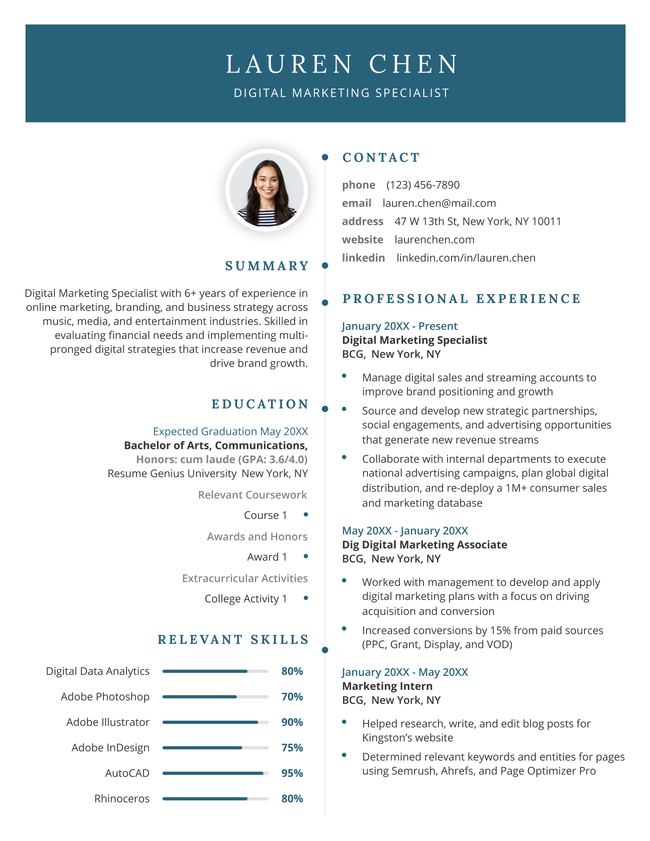
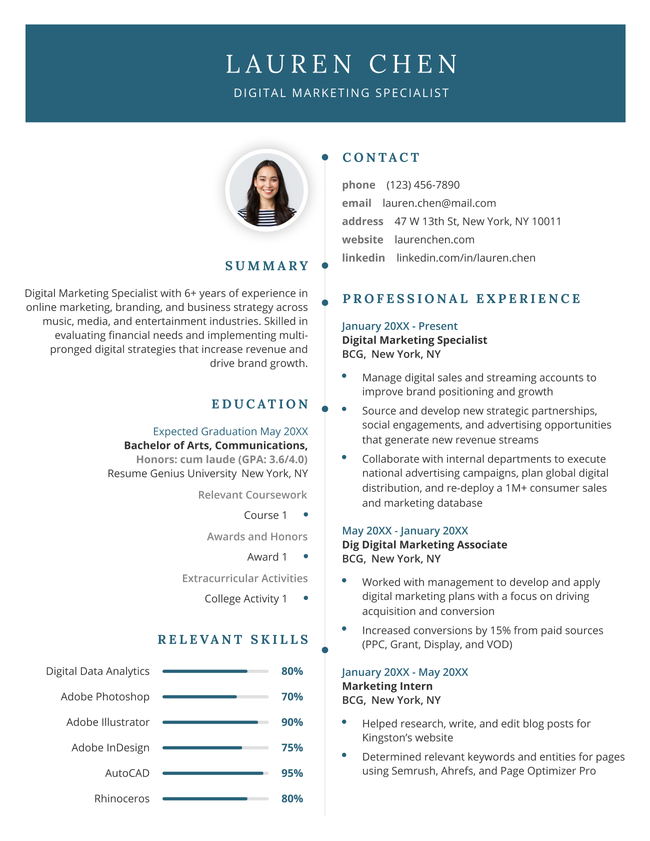
Dump CV’s free tier is designed to be fully functional, not a teaser for a paid upgrade. Users have access to over 30 professionally designed resume templates, covering a wide range of industries and experience levels. These aren’t just basic designs; they’re crafted to be visually appealing and ATS-friendly.
The editor is built around a simple drag-and-drop interface. You can easily rearrange sections, add or remove content blocks, and customize fonts and colors. Importantly, we provide real-time ATS optimization hints as you edit. The tool flags potential issues – like overly complex formatting or the use of graphics in key areas – and suggests improvements.
You can download your resume in multiple formats: PDF, DOCX, and plain text. There are no watermarks, no hidden fees, and no restrictions on the number of resumes you can create. We support standard resume sizes, and we're constantly updating our templates to reflect current best practices. It's a complete solution, even without a subscription.
We’ve also integrated a built-in spell checker and grammar tool to help you polish your writing. While it’s not a replacement for a thorough proofread, it catches many common errors. And if you need inspiration, we offer a library of resume samples tailored to specific job titles and industries.
Essential Tools for Crafting a Standout Resume

Comprehensive guide to STEM resume construction · Covers CV conversion strategies · Focuses on creating compelling content
This free guide provides in-depth strategies specifically for STEM fields, offering a robust foundation for resume building without cost.

Step-by-step graphic design workbook · Includes templates and video tutorials · Suitable for grades 4-12
While not a direct resume builder, this resource teaches valuable design skills applicable to creating visually appealing resumes and personal branding.

Resume CV template for Microsoft Word and Apple Pages · Instant download · Professional design
This template offers a professionally designed, ready-to-use format for Word and Pages users, streamlining the resume creation process with a polished aesthetic.

5-pack of Google Docs resume templates · Modern and professional designs · Customizable options
This pack provides multiple modern and customizable templates for Google Docs users, allowing for easy editing and a professional presentation to enhance career prospects.

User guide for Adobe Express 2026 · Focuses on content creation and automation · Covers AI design features
This guide introduces users to Adobe Express, a powerful design tool that can be leveraged for creating visually engaging resumes and marketing materials, with a focus on modern design techniques.
As an Amazon Associate I earn from qualifying purchases. Prices may vary.
The limits of Resume.com
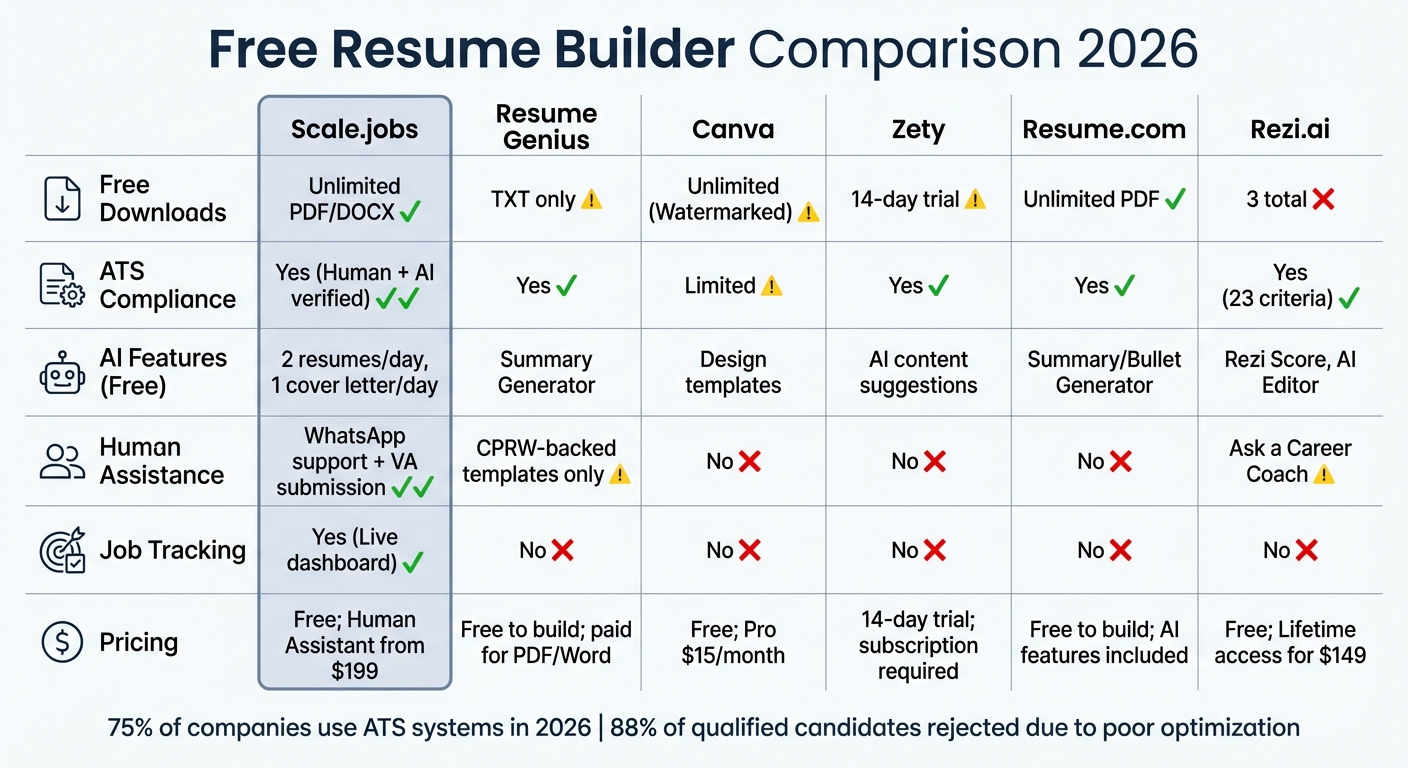
Resume.com offers a free resume builder, but the experience feels noticeably restricted. As of November 15, 2026, their free tier limits you to a small selection of templates – roughly a dozen, compared to Dump CV’s 30+. While they do offer an AI resume writer, it’s heavily gated behind a paywall.
Perhaps the biggest frustration is the persistent push towards a paid subscription. The free version includes prominent ads and frequent prompts to upgrade. You can build a resume, but the constant interruptions detract from the experience. Downloading your resume in certain formats, or accessing advanced editing features, requires a paid plan.
Customizing templates on the free version is difficult. The options are thin, so your resume ends up looking like everyone else's. Resume.com also adds a watermark to your downloads. This makes the free tier feel like a demo designed to force an upgrade rather than a tool you can actually use for a job application.
Canva: great design, risky formatting
Canva is a fantastic design tool, and its resume builder reflects that strength. The templates are visually stunning, offering a level of creative control that Dump CV and Resume.com can’t match. If you’re applying for a role where visual presentation is paramount – like graphic design or marketing – Canva is a strong contender.
However, Canva's primary focus isn’t resume creation. It’s a general-purpose design platform. This means that its resume builder lacks some of the specialized features found in dedicated tools. For example, the ATS optimization hints are less robust, and there’s a greater risk of creating a resume that looks great but doesn’t parse correctly.
There's a potential trade-off between aesthetics and functionality. A highly designed resume can sometimes distract from the content, and overly complex formatting can confuse ATS systems. While Canva offers a wide range of design elements, it’s easy to get carried away and create a resume that’s more style than substance. You really need to understand ATS systems to use Canva effectively.
Beating the ATS
Applicant Tracking Systems (ATS) are software applications used by recruiters to scan and filter resumes. Most large companies use an ATS to manage the high volume of applications they receive. If your resume isn’t ATS-compatible, it might never be seen by a human.
Dump CV is built with ATS compatibility as a core principle. Our templates use clean code and semantic HTML, ensuring that the content is easily parsed by these systems. We provide real-time suggestions to avoid formatting that can confuse ATS algorithms – things like tables, images in the main content area, and unusual fonts.
We don’t rely on complex scripting or hidden elements that can interfere with parsing. Instead, we focus on creating resumes that are both visually appealing and machine-readable. While
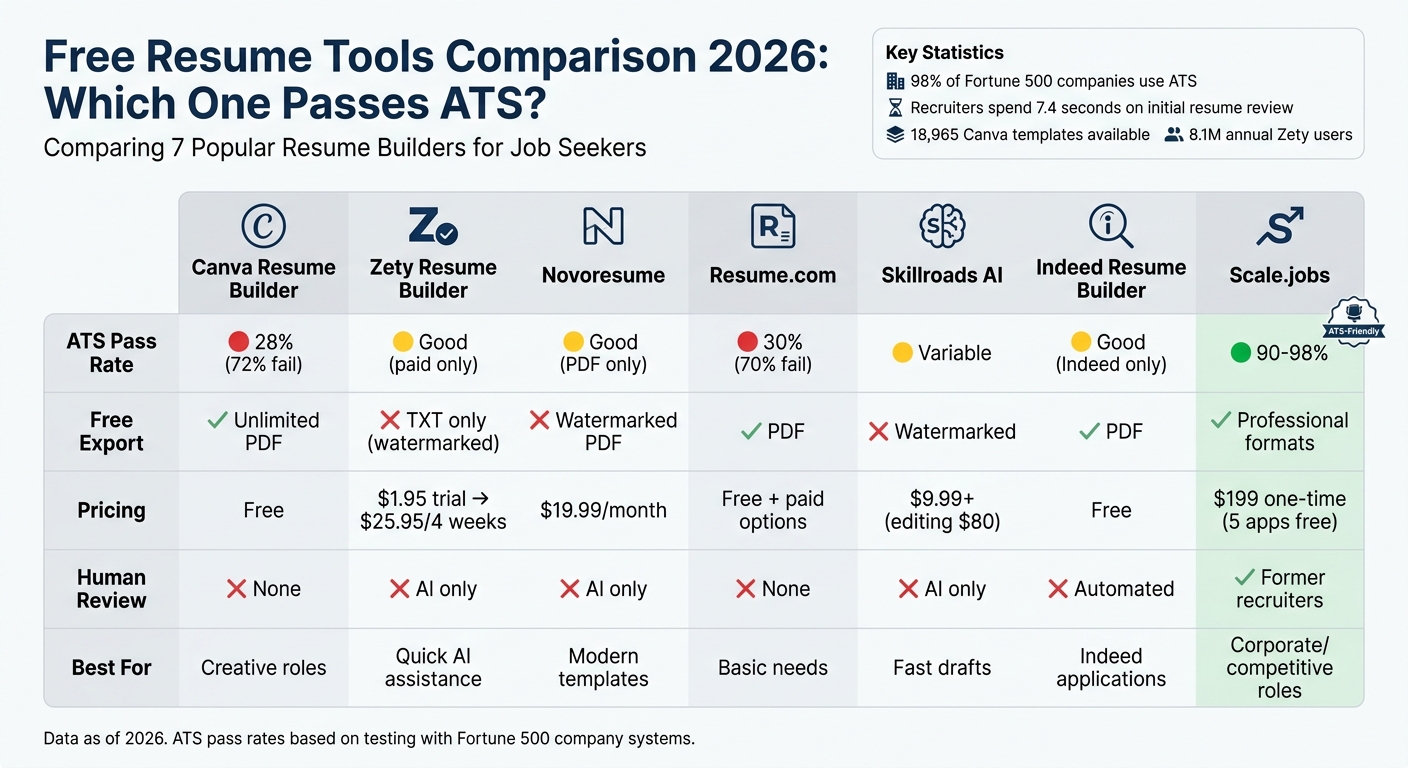
Resume.com and Canva, while offering functional resumes, sometimes prioritize visual design over ATS compatibility. This can lead to parsing errors and reduced visibility for recruiters. The lack of specific ATS optimization guidance in their free tiers is a notable drawback.
- Match your keywords to the specific job description.
- Avoid tables and text boxes.
- Choose a simple, readable font.
- Use text-based PDFs so the software can actually read your words.
Beyond Templates: Editing & Customization
Dump CV’s editor is designed for ease of use. The drag-and-drop interface allows you to quickly rearrange sections and add or remove content. You can preview your changes in real-time, ensuring that your resume looks exactly as you intend. The editor is also responsive, meaning it adapts to different screen sizes.
Compared to Resume.com’s free editor, Dump CV offers greater flexibility and control. Resume.com restricts customization options in the free tier, limiting your ability to tailor your resume to a specific job description. Canva’s editor is powerful, but it can be overwhelming for users who are unfamiliar with design tools.
The ability to tailor your resume to each job application is crucial for success. Dump CV makes this easy by allowing you to quickly adjust keywords, skills, and experience to match the requirements of the position. A clean, uncluttered editing interface helps you focus on the content, rather than getting bogged down in technical details.
User Reviews & Community Feedback
Analyzing user feedback reveals some clear trends. On G2, Dump CV consistently receives positive ratings for its ease of use and template quality. Users appreciate the fact that the free tier is genuinely useful, without the limitations found in other platforms. Several reviewers specifically mention the ATS optimization hints as a valuable feature.
On Reddit, in threads discussing free resume builders (as of November 2026), Dump CV is frequently recommended alongside Canva, but often praised for its simplicity and focus on functionality. Some users have noted that Canva’s templates can be overly complex for certain industries.
Reviews of Resume.com often mention the intrusive ads and the constant push to upgrade. While users acknowledge that it’s a functional tool, many feel that the free tier is more of a trial than a complete solution. Trustpilot shows a mixed bag, with complaints about customer support and the quality of the free templates.
No comments yet. Be the first to share your thoughts!