

The shift in resume filtering
Resume screening is no longer just about keyword matching. Modern Applicant Tracking Systems (ATS) use machine learning to predict how you'll perform and analyze the tone of your writing. If your CV doesn't account for this shift, it won't reach a human recruiter.
We’re already seeing a significant shift in 2024 and 2025, with many companies using AI to rank candidates based on a composite score. This means your resume isn’t just being filtered in or out; it’s being compared against other applicants, and AI is heavily influencing that ranking. This isn’t some distant future scenario; it’s happening now.
The goal isn’t to fear these systems, but to understand them. Ignoring the impact of AI on resume screening is a risk. A well-written resume that would have sailed through a traditional ATS might be completely overlooked by an AI-powered system. It’s about adapting to a new reality, and understanding what these algorithms are looking for.
The rise of AI in recruitment isn’t about replacing human recruiters entirely. It’s about augmenting their abilities, allowing them to focus on the most promising candidates. But to even reach a human recruiter, your resume needs to first impress the machine. That’s where the concept of an 'AI-proof' resume comes in.
How modern ATS read your data
The biggest change with AI-powered ATS is a move towards semantic understanding. Older systems relied on exact keyword matches. Modern AI can recognize synonyms, related skills, and the context in which keywords are used. Simply stuffing your resume with keywords won’t work – in fact, it can hurt you.
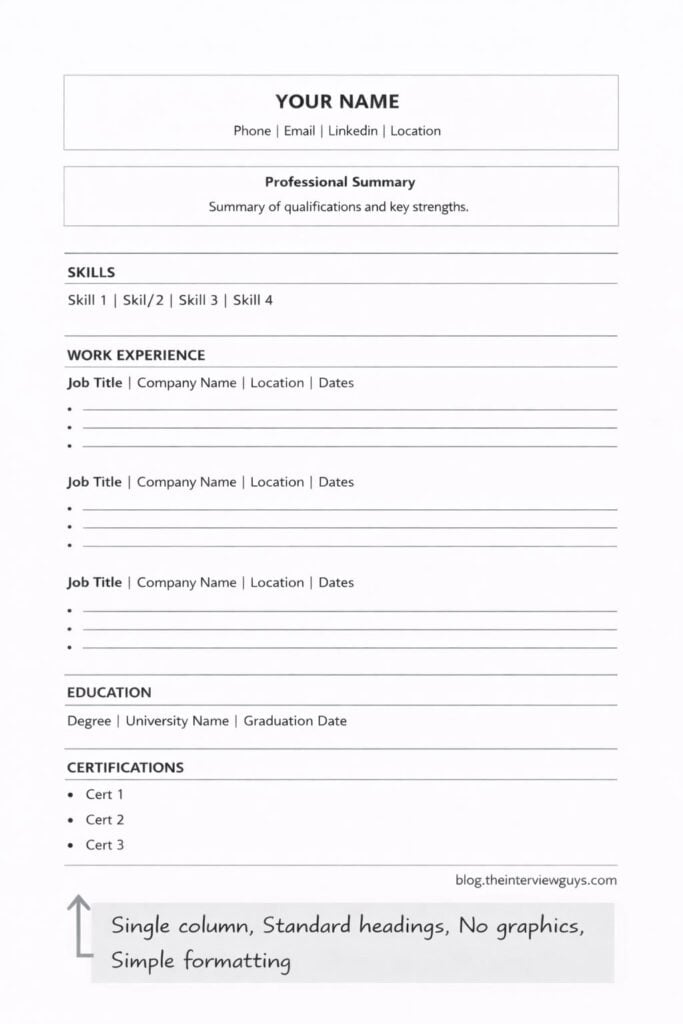
Software has to extract your work history and education into a database. Complex graphics or unusual layouts break this process. Data from ORISE shows that simple, text-based formatting is the only way to ensure your details aren't lost during the upload.
AI doesn't just look for skills; it assesses them. It analyzes how you’ve used those skills in previous roles, looking for evidence of proficiency. It’s not enough to say you’re proficient in project management; you need to demonstrate it with examples of successful projects you’ve led. The system is trying to understand your capabilities, not just your claims.
This means AI is looking for more than just keywords. It's looking for patterns, relationships, and evidence. It's attempting to build a profile of your skills and experience that accurately reflects your potential value to the company. It’s a much more nuanced process than simple keyword matching.
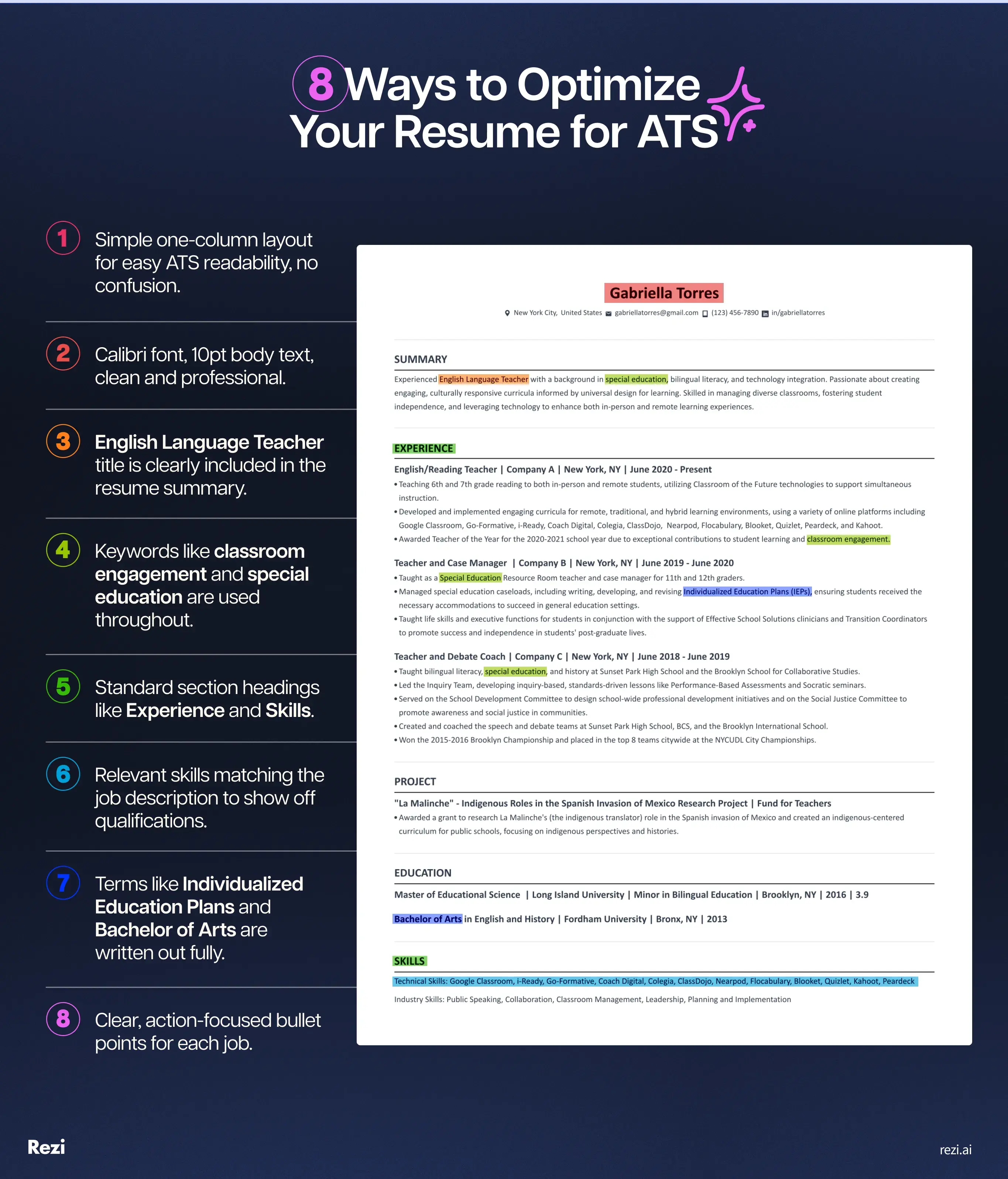
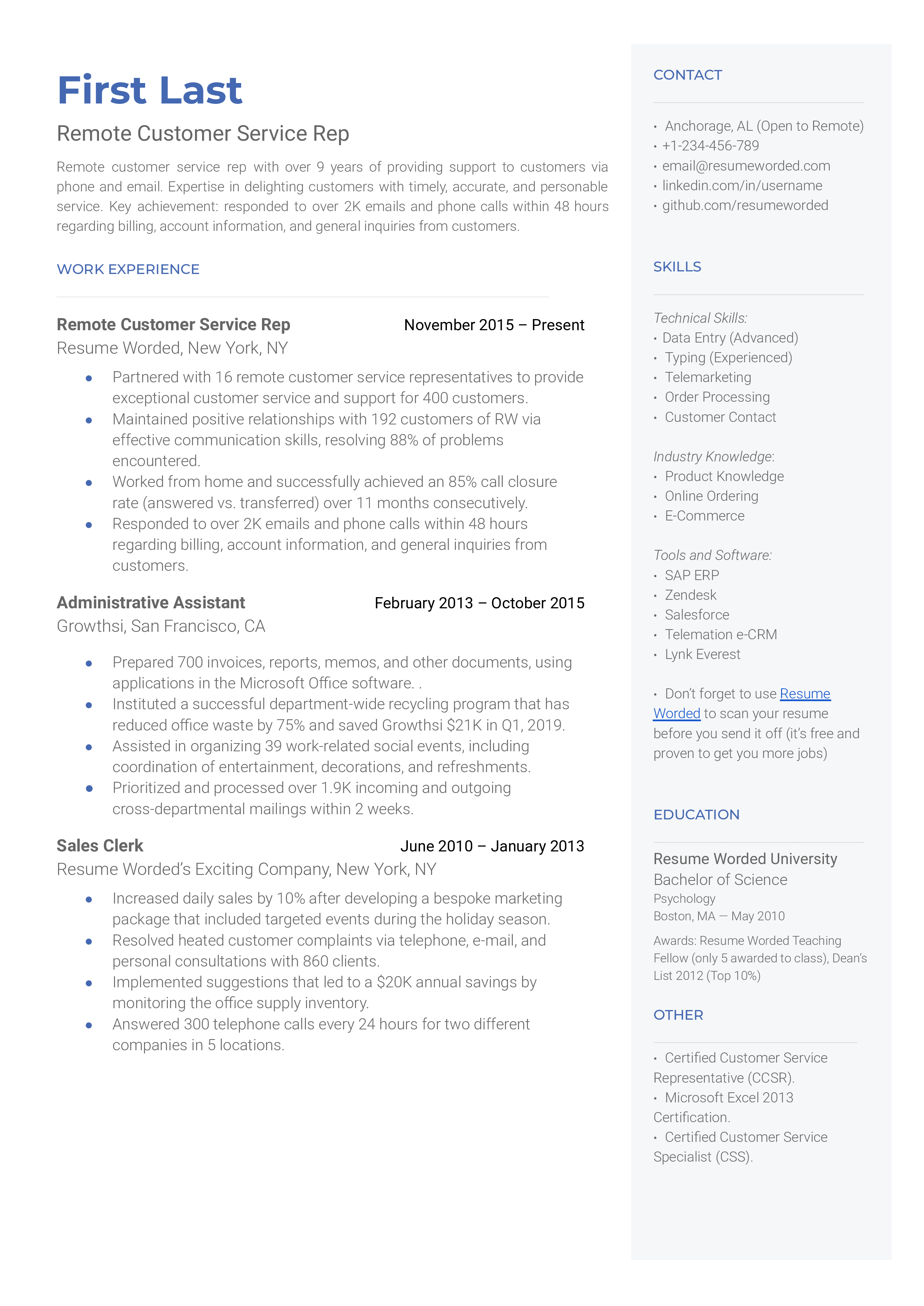
- Use standard margins and single-column layouts to help the software extract data.
- Semantic Understanding: Recognizing synonyms and related skills.
- Contextual Analysis: Assessing skills based on how they're used.
Moving beyond buzzwords
Forget the idea of a generic list of keywords. The most effective keyword strategy starts with a careful analysis of the job description. Identify the core skills, technologies, and qualifications the employer is seeking. Don't just look for the obvious keywords; pay attention to the language used throughout the description.
Think beyond single words and focus on long-tail keywords – specific phrases that accurately describe your skills and experience. Instead of “communication,” consider “written and verbal communication with cross-functional teams.” These longer phrases are more targeted and less likely to be overused by other applicants.
Place keywords within your bullet points rather than in a disconnected list. Instead of writing 'Project Management' as a standalone skill, write: 'I managed cross-functional projects using Agile, hitting every deadline over an 18-month period.' This gives the algorithm context.
A common mistake is simply copying and pasting keywords from the job description. This can come across as disingenuous and can actually trigger red flags in some ATS. Focus on highlighting your relevant skills and experience in a clear, concise, and compelling way – using the language of the job description as a guide.
Format for Machines (and Humans)
Technical formatting matters more than ever. While aesthetics are important, prioritize readability for both humans and machines. The best file type is generally a text-based PDF. Avoid image-based PDFs, as the ATS may not be able to extract text from them.docx files are also generally acceptable, but PDFs offer more consistent formatting across different systems.
Use clear, consistent headings and sections to structure your resume. This makes it easier for the ATS to parse the information and for a human recruiter to quickly scan your qualifications. Common sections include Summary/Objective, Experience, Skills, Education, and Certifications. Keep it logical and easy to follow.
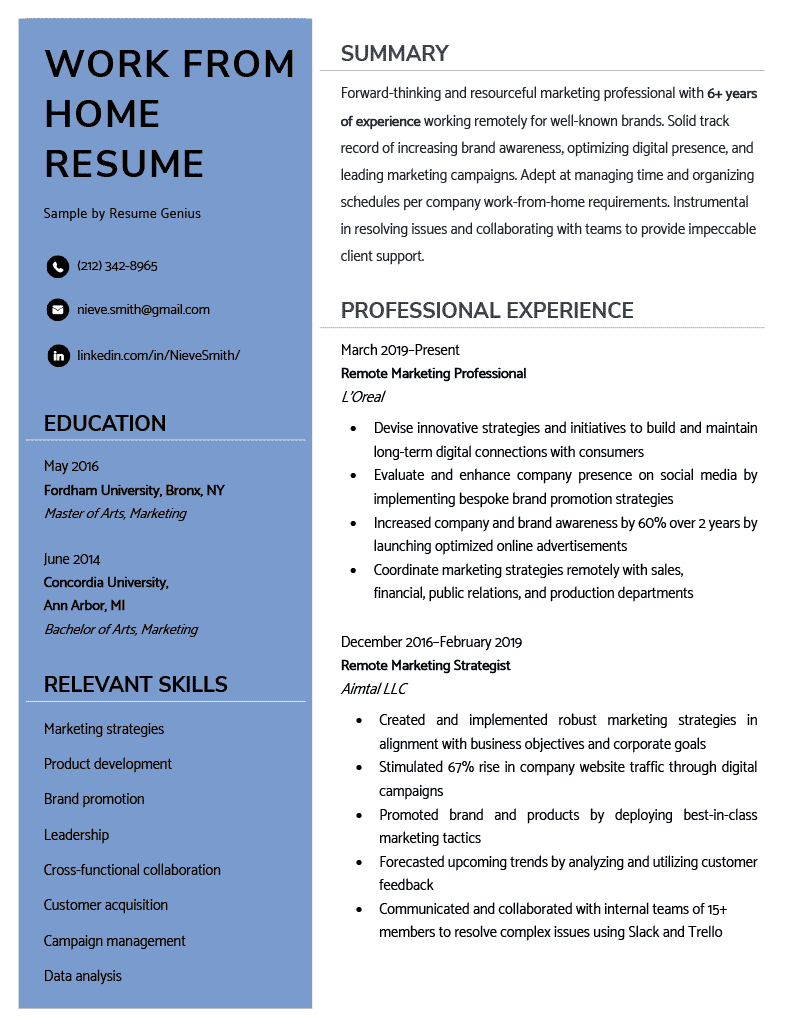
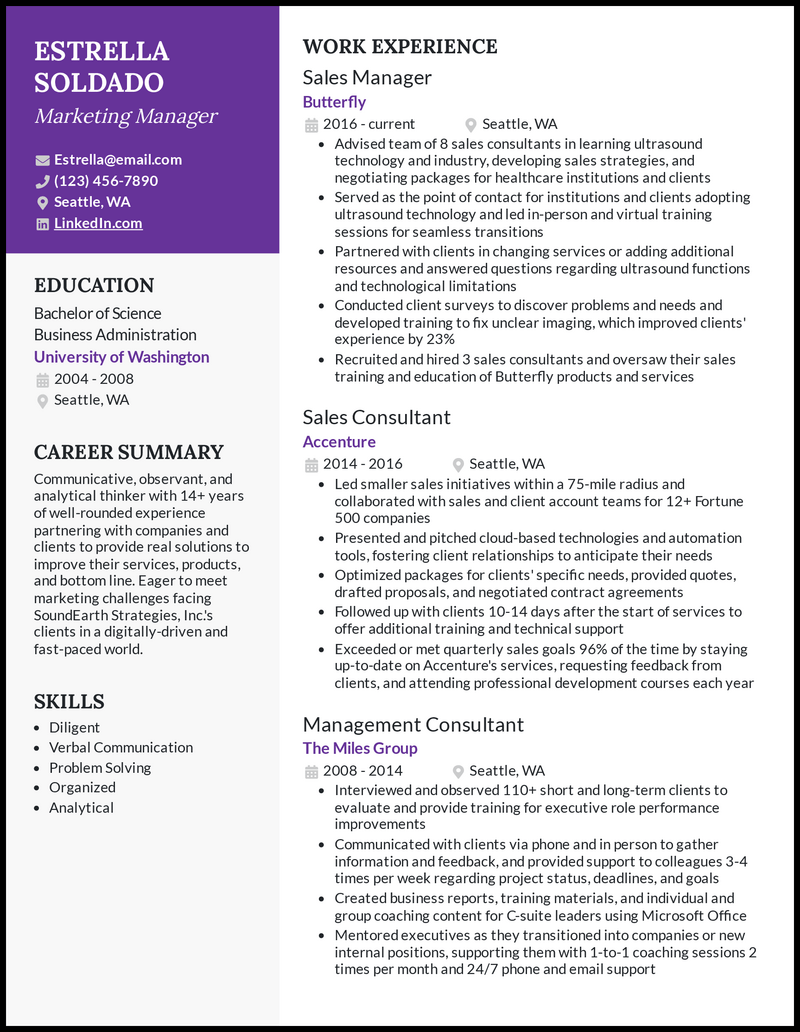
Avoid complex formatting elements that can confuse ATS. Tables, images, text boxes, and columns can sometimes cause parsing errors. Harvard FAS career services suggests keeping the format simple and clean. While the impact of columns is debated, it's generally safer to avoid them.
Stick to standard fonts like Arial, Calibri, or Times New Roman. Use a font size between 10 and 12 points. Ensure sufficient white space to improve readability. A clean, uncluttered layout will make your resume more appealing to both machines and humans.
- File Type: Text-based PDF is preferred.
- Headings: Use clear and consistent headings.
- Formatting: Avoid complex elements like tables and images.
Resume Format Choices
| Format | ATS Compatibility | Human Readability | Best For |
|---|---|---|---|
| Plain Text (.txt) | High | Low | Older ATS systems, initial screening |
| Microsoft Word (.docx) | Medium | High | Direct application to recruiters, situations where format preservation is critical |
| PDF (Text-Based) | High | High | Most modern ATS systems, general use |
| PDF (Image-Based) | Low | Medium | Visually complex resumes where design is paramount, but risks ATS parsing errors |
Illustrative comparison based on the article research brief. Verify current pricing, limits, and product details in the official docs before relying on it.
Skills Sections: Show, Don't Just Tell
Listing skills is not enough. Anyone can claim proficiency in a skill; you need to demonstrate it. Instead of simply listing “Microsoft Excel,” elaborate on your Excel skills: “Developed complex financial models in Excel to forecast revenue and expenses, resulting in a 15% improvement in budget accuracy.”
The STAR method (Situation, Task, Action, Result) is a powerful tool for presenting your skills effectively. Briefly describe the Situation, the Task you were assigned, the Action you took, and the Result you achieved. This provides context and demonstrates the impact of your skills.
Quantify your achievements whenever possible. Instead of saying “Improved customer satisfaction,” say “Improved customer satisfaction scores by 20% through the implementation of a new customer service protocol.” Numbers are concrete and compelling.
Think about the skills that are most relevant to the job description. Tailor your skills section to highlight those skills prominently. Don’t include skills that aren’t relevant, even if you possess them. Focus on showcasing the skills that will make you a valuable asset to the employer.
The Experience Section: AI-Readable Storytelling
Your experience section is the heart of your resume. It’s where you demonstrate your skills and accomplishments. But to appeal to both humans and AI, you need to craft compelling experience descriptions that are clear, concise, and results-oriented. Start each bullet point with a strong action verb. Instead of “Responsible for managing social media,” use “Managed social media channels, increasing follower engagement by 30%.”
Tailor your experience to each job description. Highlight the accomplishments and responsibilities that are most relevant to the target role. Don’t just copy and paste the same experience section for every application. Customize it to showcase your suitability for the specific position.
If you have experience that doesn’t directly align with the target role, focus on transferable skills. Identify the skills you used in that experience that are relevant to the new position and highlight them. For example, if you’re applying for a project management role but your previous experience is in customer service, emphasize your skills in problem-solving, communication, and organization.
Here’s an example of a before-and-after experience bullet point: Before: "Assisted with the implementation of a new CRM system.’ After: ‘Collaborated with a team of five to implement a new CRM system, resulting in a 10% increase in sales productivity.’ The ‘after" version is more specific, quantifiable, and impactful.
No comments yet. Be the first to share your thoughts!