

The reality of automated screening
Your resume is read by a machine before a human ever sees it. Applicant Tracking Systems (ATS) are the standard gatekeepers now. A well-written CV is useless if the software can't parse the data.
Estimates suggest that over 90% of companies with more than 100 employees use ATS to manage their hiring process. This isn't a future prediction, it's the current state of affairs. These systems scan resumes for keywords, assess formatting, and rank candidates based on their perceived fit for the role. The days of relying on a compelling narrative to capture a recruiter's attention are fading.
The basic process is fairly straightforward. An ATS parses the text from your resume, extracting information like skills, experience, and education. It then compares this data to the requirements outlined in the job description, assigning a 'match score' to each applicant. Resumes with lower scores are often discarded before a human ever lays eyes on them. It’s a bit unsettling, but that's why understanding these systems is so important.
This shift towards algorithmic screening means that optimizing for AI isn’t about 'gaming' the system, it's about ensuring your qualifications are accurately and effectively communicated to the technology that's initially evaluating you. Ignoring this reality means significantly decreasing your chances of landing an interview.
Common systems you'll encounter
It’s not enough to just know that ATS exists; understanding the major players is also helpful. Workday, Taleo, Greenhouse, Lever, and iCIMS are consistently ranked among the most popular ATS platforms. While precise market share data fluctuates, these systems collectively process a vast majority of applications.
Each ATS operates with its own unique algorithm, though the core principle of keyword matching remains consistent. However, the weighting of those keywords, the importance of formatting, and the ability to parse complex resume structures can vary significantly. For example, some systems prioritize skills listed in a dedicated 'Skills' section, while others place more emphasis on keywords embedded within your work experience descriptions.
We’re seeing a trend toward more sophisticated AI within these systems. Newer iterations are attempting to understand the context of your experience, not just the presence of specific keywords. This means simply stuffing your resume with buzzwords is becoming less effective. These systems are also getting better at identifying and penalizing keyword stuffing.
The biggest changes we're seeing involve the integration of machine learning to improve the accuracy of candidate ranking. ATS are becoming better at identifying 'ghost keywords' – terms that appear frequently but don’t genuinely reflect a candidate’s abilities – and are starting to prioritize candidates with demonstrated experience over those who simply list skills.
Strategic keyword placement
Keywords are still the foundation of ATS optimization, but the approach needs to be more strategic. Don't just copy and paste a list of skills from the job description. Instead, focus on identifying the core competencies and technical terms that are consistently used in the industry and within the specific role you're targeting.
Start by carefully analyzing the job descriptions for roles you’re interested in. What skills and qualifications are repeatedly mentioned? Then, expand your research. Look at LinkedIn profiles of people currently holding similar positions. What keywords do they use to describe their experience? Industry reports and professional associations can also provide valuable insights.
The key is to use contextual keywords. Don't just list 'Project Management'; demonstrate how you’ve used project management skills to achieve specific results. For example, 'Led cross-functional project team to deliver project 15% under budget and ahead of schedule.' This shows the ATS – and a human reviewer – that you possess the skill and can apply it effectively.
Don’t underestimate the power of long-tail keywords. These are more specific phrases that target niche skills or experiences. Instead of 'Data Analysis,' consider 'Statistical Modeling using R and Python.' While less common, these phrases can help you stand out from the competition and attract the attention of ATS searching for highly specialized candidates.
- Keyword Research Checklist:
- Analyze 3-5 job descriptions for target roles.
- Review LinkedIn profiles of 5-10 professionals in similar roles.
- Identify 10-15 core competencies and technical terms.
- Craft 2-3 sentences demonstrating how you’ve applied each keyword.
- Use a keyword density tool (use cautiously - avoid stuffing!).
Format for the Machine: Layout & Structure
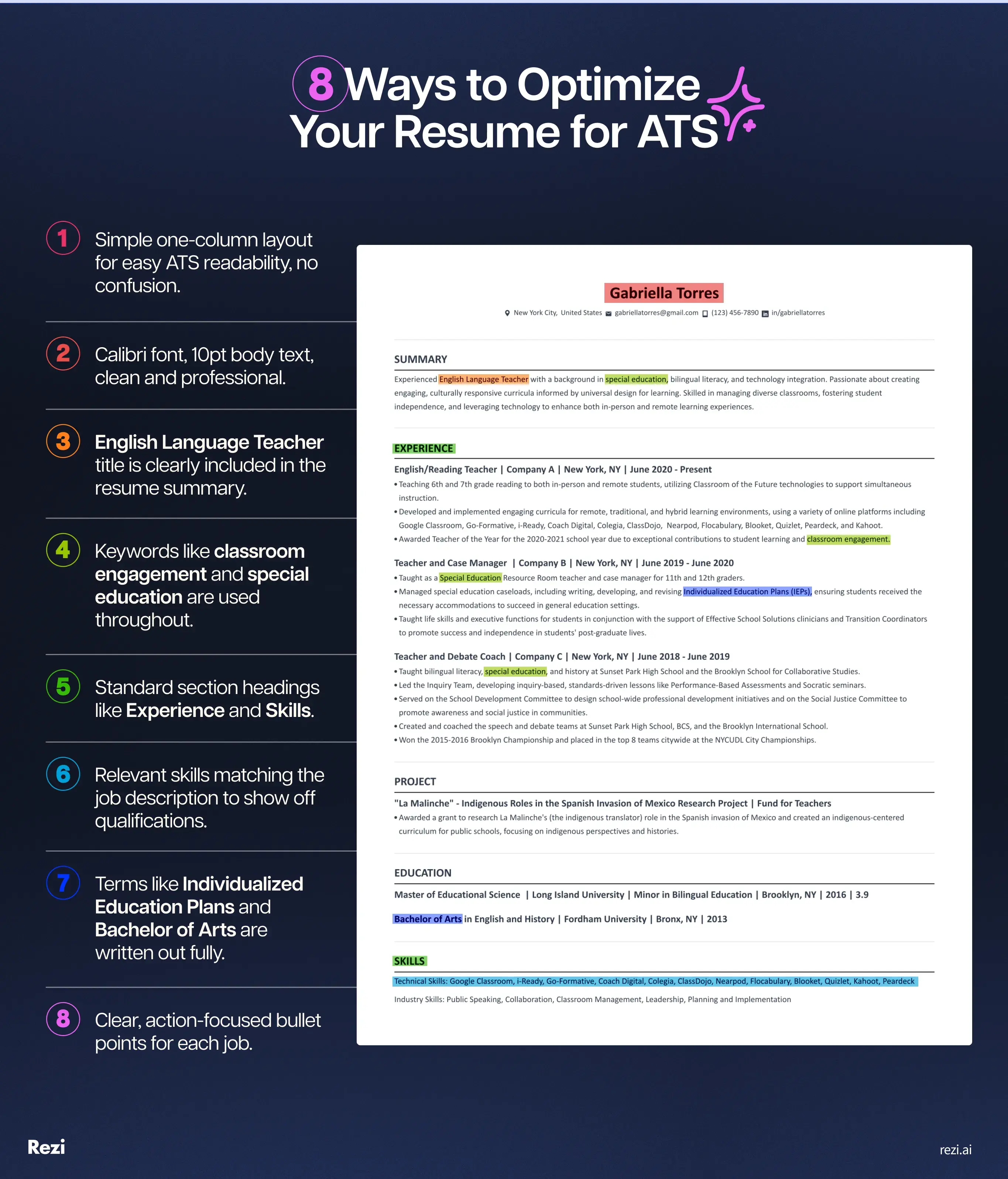
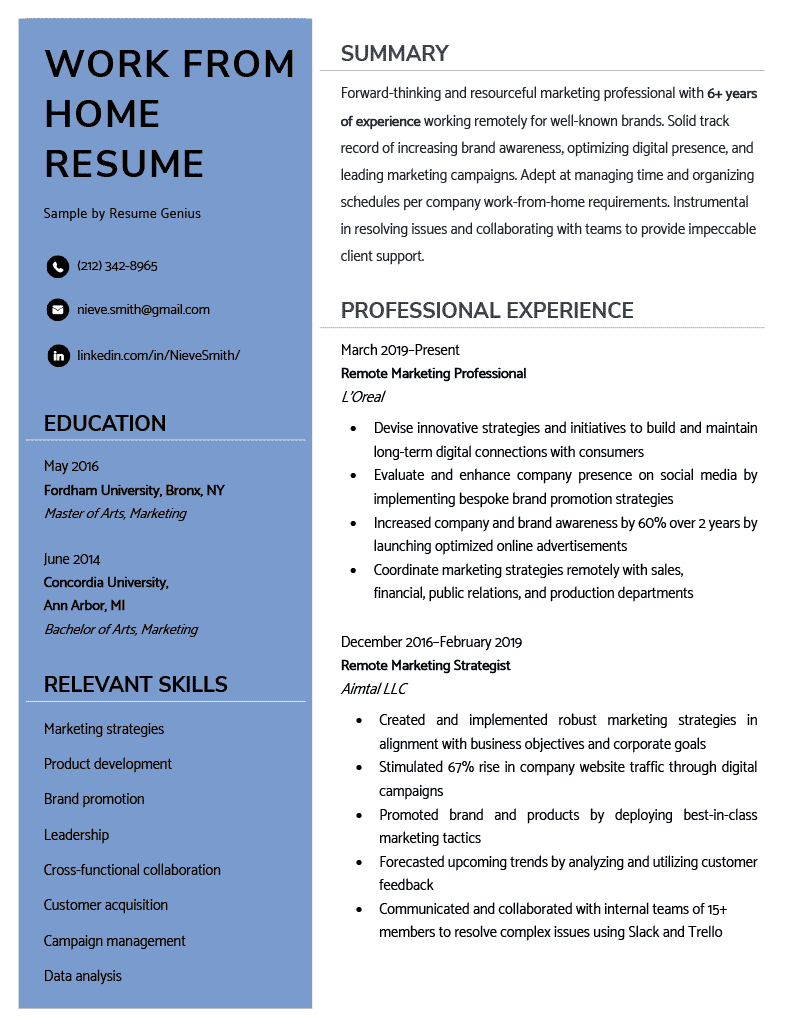
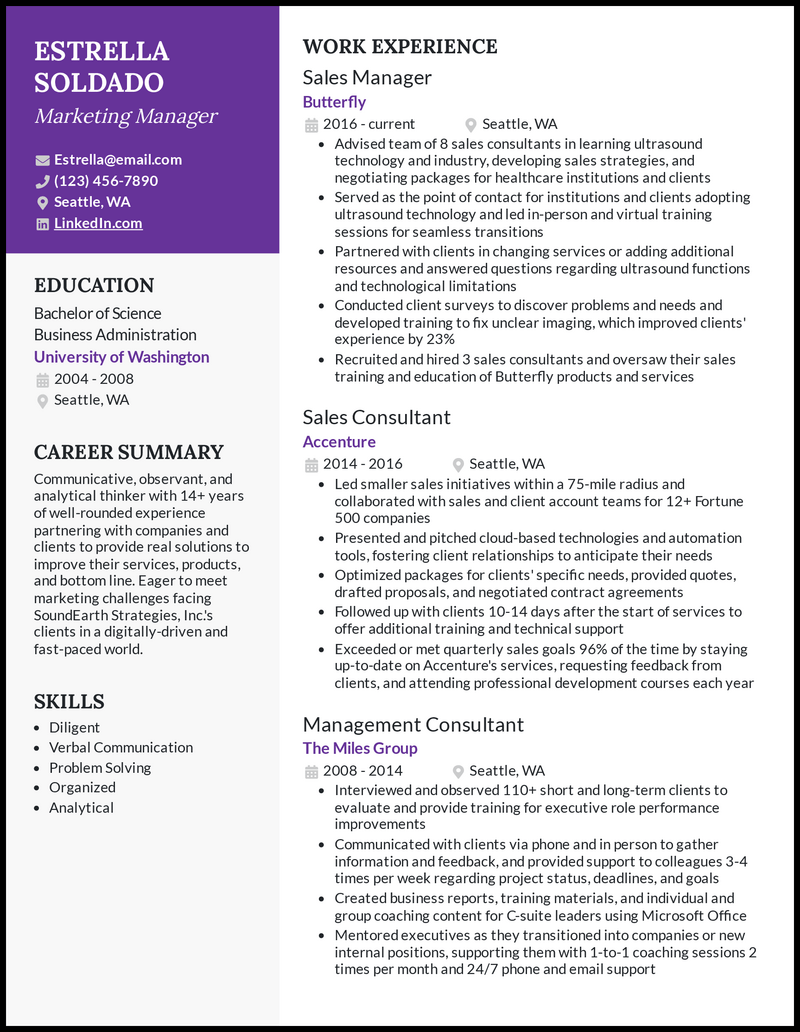
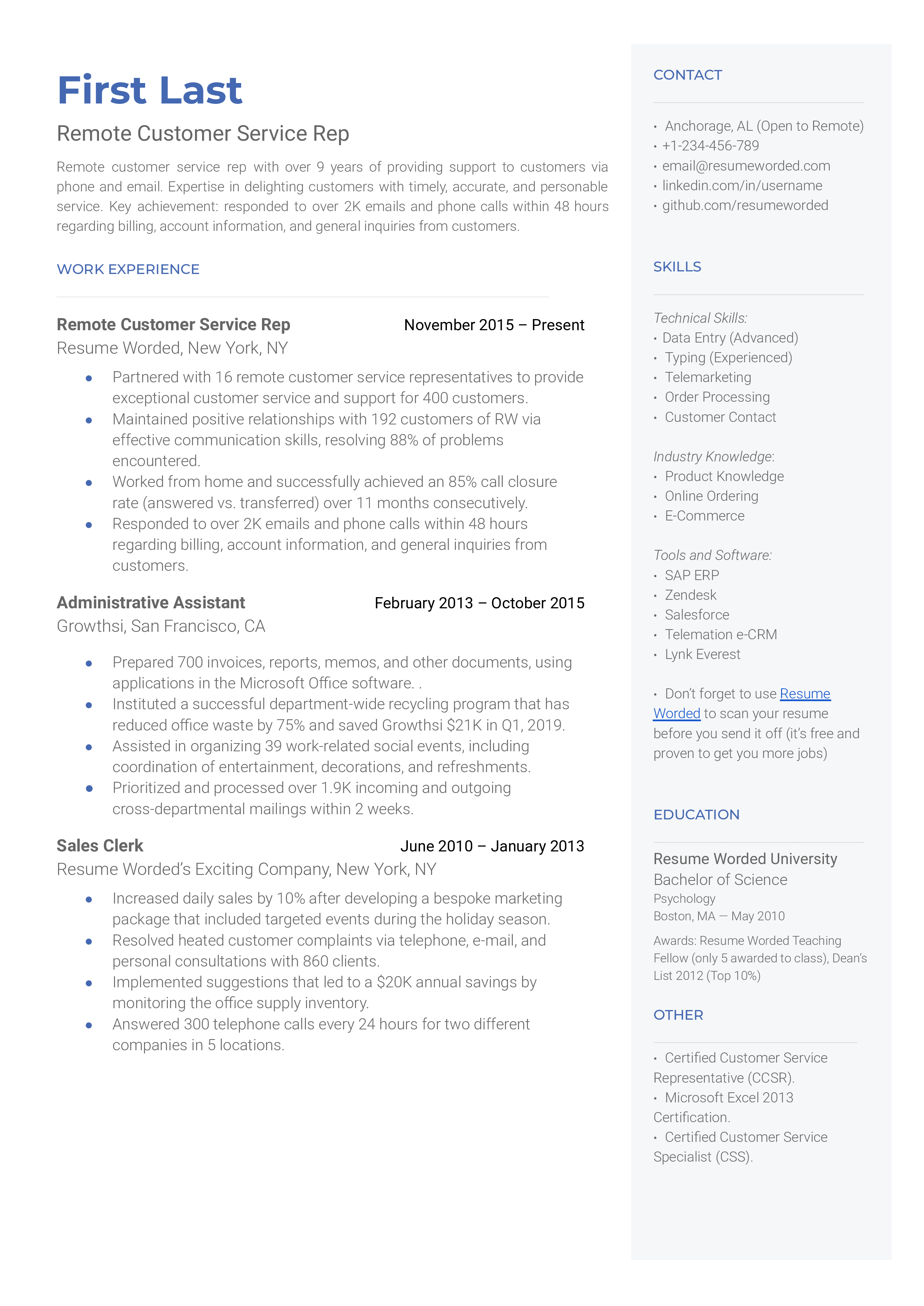
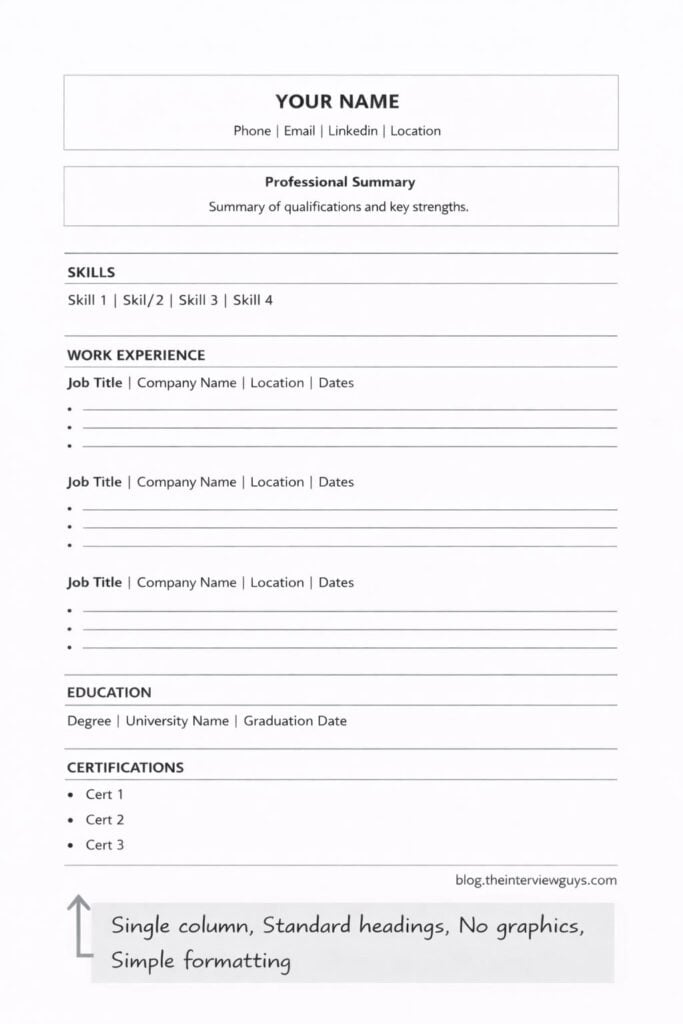
When it comes to ATS, simplicity is your friend. Avoid overly creative or complex resume layouts. Tables, text boxes, images, and unconventional formatting can often confuse the parsing software, leading to data loss or misinterpretation. A clean, linear design is always the best approach.
The preferred file format is generally .docx, as it’s the most reliably parsed by ATS. While some systems can handle .pdf files, there’s a higher risk of formatting errors. If a job posting specifically requests a .pdf, then of course, submit in that format, but .docx should be your default choice.
Clear and consistent section headings are essential. Use standard headings like 'Summary,' 'Experience,' 'Skills,' and 'Education.' Avoid using creative or ambiguous titles that the ATS might not recognize. This helps the system accurately categorize the information on your resume.
At Dump CV, we specialize in modern resume layouts that are both visually appealing and ATS-friendly. Our templates are designed to strike the right balance between aesthetics and machine readability, ensuring your qualifications are presented in a way that both humans and algorithms can appreciate.
Skills Section: Show, Don't Just Tell
The skills section is a prime opportunity to showcase your qualifications to both ATS and human reviewers. However, simply listing skills is not enough. You need to demonstrate your proficiency and provide context for how you’ve applied those skills in real-world situations.
Instead of just stating 'Proficient in Python,' quantify your skills whenever possible. For example, 'Developed and maintained Python scripts for data analysis, resulting in a 20% reduction in processing time.' This provides concrete evidence of your abilities and demonstrates the impact you’ve made.
Consider using a skill matrix or proficiency levels to provide a more nuanced view of your capabilities. You could categorize your skills as 'Expert,' 'Proficient,' 'Intermediate,' or 'Basic.' This helps the ATS – and the recruiter – quickly understand your strengths and areas for development.
Remember to tailor your skills section to each job application. Carefully review the job description and prioritize the skills that are most relevant to the role. Don’t include skills that are not directly applicable, as this can dilute your overall message.
- Skill Presentation Methods:
- List: Simple, straightforward, but lacks detail. (e.g., Python, Java, SQL)
- Proficiency levels: Use clear labels like 'Expert' or 'Intermediate' rather than vague star ratings that machines can't read.
- Proficiency Levels: Provides a more granular assessment of skills. (e.g., Python - 5/5 stars, Java - 3/5 stars)
Skill Presentation Methods for ATS Compatibility
| Method | Description | ATS Friendliness | Visual Appeal |
|---|---|---|---|
| Simple List | Presents skills as a straightforward, bulleted list. Example: 'Project Management, Communication, Data Analysis'. | High | Low |
| Skill Matrix | Organizes skills into categories (e.g., 'Technical Skills', 'Soft Skills') with related keywords listed under each. | Medium | Medium |
| Proficiency Levels | Lists skills alongside an indication of expertise (e.g., 'Proficient', 'Intermediate', 'Basic'). Avoid subjective terms; focus on demonstrable abilities. | Medium | Medium |
| Keyword Clusters | Groups related skills using keywords that are frequently found in job descriptions. This demonstrates a targeted skillset. | High | Medium |
| Contextual Skills | Integrates skills within work experience descriptions, showcasing how they were applied in real-world situations. This is favored by both ATS and recruiters. | High | High |
| Hybrid Approach | Combines a simple list with contextual examples within work experience. Offers a balance of clarity and demonstration. | High | Medium |
Illustrative comparison based on the article research brief. Verify current pricing, limits, and product details in the official docs before relying on it.
Experience: Storytelling for Robots
Your experience section is where you truly demonstrate your value. But remember, you're not just writing for a human reader anymore. You need to craft accomplishment-based bullet points that are both informative and ATS-friendly.
The STAR method (Situation, Task, Action, Result) is your best friend here. For each bullet point, describe the Situation you were in, the Task you were assigned, the Action you took, and the Result you achieved. This provides a clear and concise narrative that highlights your contributions.
Use strong action verbs to start each bullet point. Instead of 'Responsible for…,' use verbs like 'Led,' 'Managed,' 'Developed,' 'Implemented,' or 'Achieved.' Quantify your results whenever possible. Numbers and metrics are much more impactful than vague statements.
Here’s an example: Weak: 'Managed social media accounts.' Strong: 'Managed social media presence across four platforms, increasing follower engagement by 30% and driving a 15% increase in website traffic.' See the difference? The strong version provides concrete evidence of your impact.
- STAR Method Step-by-Step:
- Situation: Briefly describe the context of your experience.
- Task: Explain the challenge or objective you were facing.
- Action: Detail the specific steps you took to address the challenge.
- Result: Quantify the positive outcome of your actions.
Hidden Traps: Common ATS Mistakes
Even with a well-crafted resume, certain mistakes can derail its performance in the ATS. Avoid using graphics, images, or charts, as these can often not be parsed correctly. Inconsistent formatting—different font sizes, styles, or bullet point types—can also cause problems.
Submitting your resume in the incorrect file type is another common error. As mentioned earlier, .docx is generally the safest bet. Also, avoid using overly creative language or jargon that the ATS might not recognize. Keep your writing clear, concise, and professional.
Another pitfall is using headers and footers for important information. ATS often struggle to extract text from these areas. Ensure all critical details are placed within the main body of your resume. Remember, the goal is to make it as easy as possible for the system to understand your qualifications.
- ATS Compatibility FAQ:
- Q: Can I use a PDF? A: .docx is preferred, but PDF is acceptable if the job posting requires it.
- Q: Are graphics okay? A: No, avoid using graphics, images, or charts.
- Q: What about colors and fonts? A: Keep it simple and professional. Use standard fonts and avoid excessive colors.
- Q: Should I use keywords repeatedly? A: Use keywords naturally and in context. Avoid keyword stuffing.
No comments yet. Be the first to share your thoughts!